Ways of Working — Phase 1
Current Phase
This is the active way of working. See the WoW proposal for the full roadmap and how we get to Phase 3.
Goal
Phase 1 focuses on:
- Groundwork on e2e tests being run on pull requests
- AI skill enhancements to align dev admin - pull requests, tests etc
- QA before merge
- Retiring e2e-testing builds
Partial features
We are allowing partial features into develop still at this time - without the use of flags.
Jira Flow
The Jira workflow is the same across all phases:
Ready for Development
        ↓
   In Progress        ← Dev working
        ↓
 Ready for Review     ← Dev done, PR open
        ↓
  Ready for QA        ← Code review passed
        ↓
     In QA            ← QA testing
        ↓
   Acceptance         ← QA passed, stakeholder review
        ↓
 Ready to Merge       ← Accepted, waiting for merge
        ↓
  Ready for Live      ← Merged, ready for next release
Phase 1 difference
"In QA" means manual testing only. E2e tests are not a gate before merge yet — that comes in Phase 2.
Who moves tickets
| From | To | Who |
|---|---|---|
| Ready for Dev | In Progress | Dev |
| In Progress | Ready for Review | Dev / Jira automation on PR open |
| Ready for Review | Ready for QA | Dev (PR approved) |
| Ready for QA | In QA | QA |
| In QA | Acceptance | QA (testing passed) |
| Acceptance | Ready to Merge | Stakeholder(s) |
| Ready to Merge | Ready for Live | Dev (after merge) |
Builds
| Profile | Environment | Use |
|---|---|---|
development-simulator | development | Local work on simulator/emulator |
qa | testing | Testing build |
e2e-ios-simulator | testing | iOS simulator E2E builds |
production | production | App store release |
production-e2e | production | E2E tests against production |
ops-build | testing | Build from specific tag/commit |
QA
Getting the build
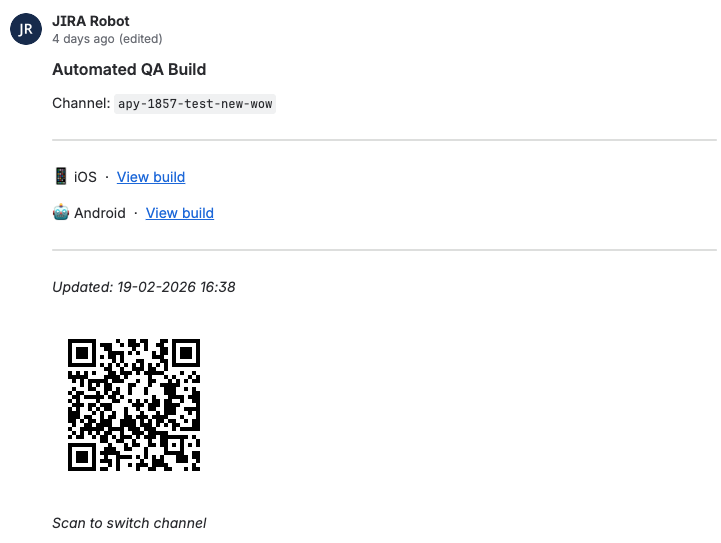
When a PR build or OTA is created, JIRA Robot posts a comment on the linked ticket with the channel name, build links for iOS and Android, and a QR code.
Switching to the build
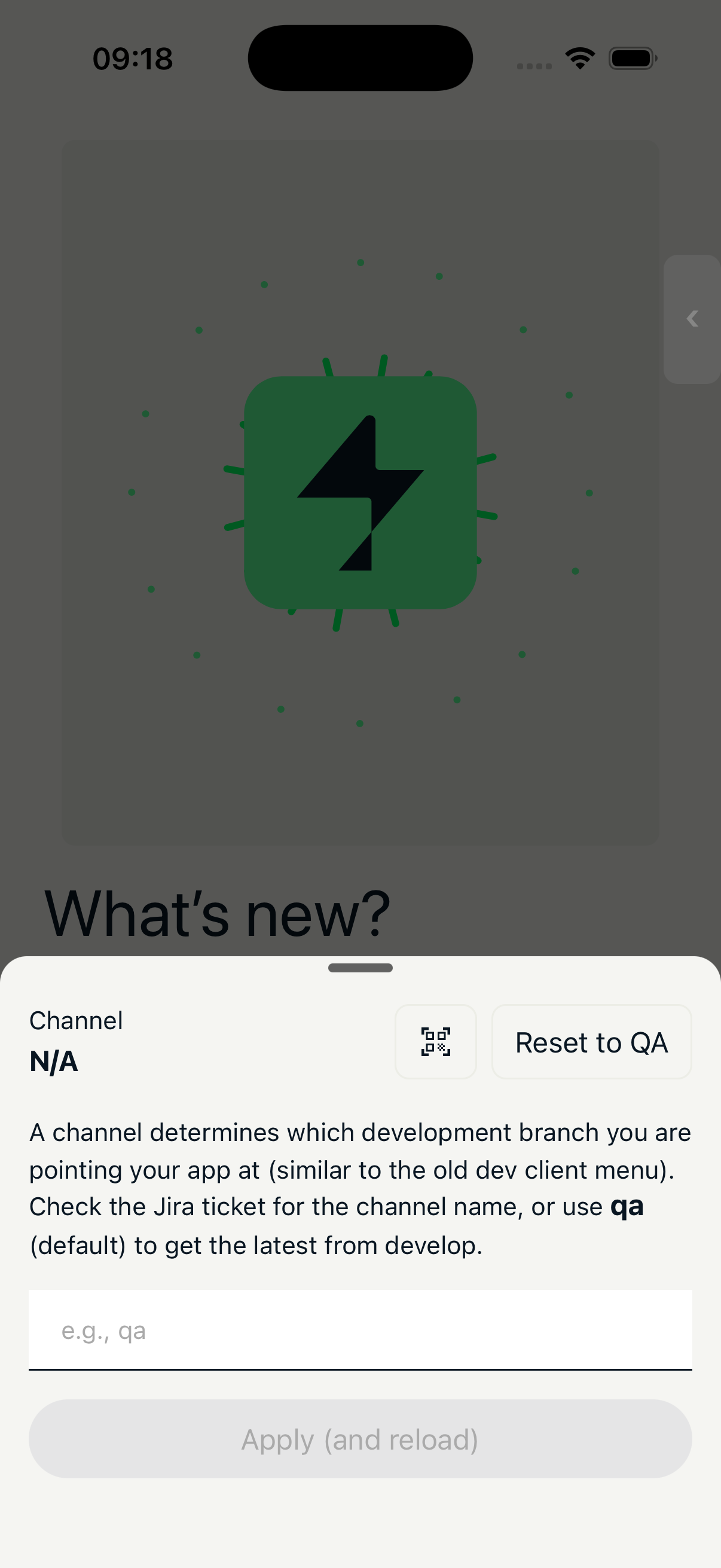
Open the debug menu (pressing the closed button or shaking if hidden) and either:
- Type the channel name into the channel changer and tap Apply (and reload)
- Tap the QR code icon and scan the code from the Jira comment
Use the provided builds
Always use the build linked in the Jira comment. OTA channels are sensitive to native changes — if the build doesn't match, the update won't load correctly.
Dev tooling
The app includes a debug menu for switching API environments, OTA channels, feature flags, and accessing Storybook. Shake the device to hide / restore it.